
How to add channels to Favorite list on MAG?

In this tutorial, we are going to show you how to add IPTV channels to your favorites list on MAG device. The Favorites feature presents STB users with the capability to instantly access pre-selected IPTV channels on the MAG box. What is MAG?
How to add channels to favorites
Channels selection to Favorites may be fulfilled from the next:
- from channel list of IPTV channel window;
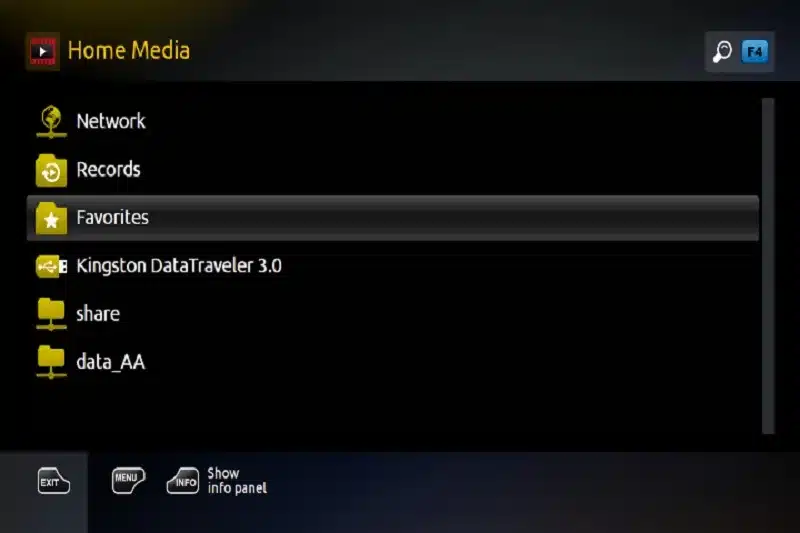
- from m3u-playlist on a USB drive or Network resources – its shortcuts are located in Home media.
To add a particular channel of IPTV playlist window to Favorites:
- Select the channel.
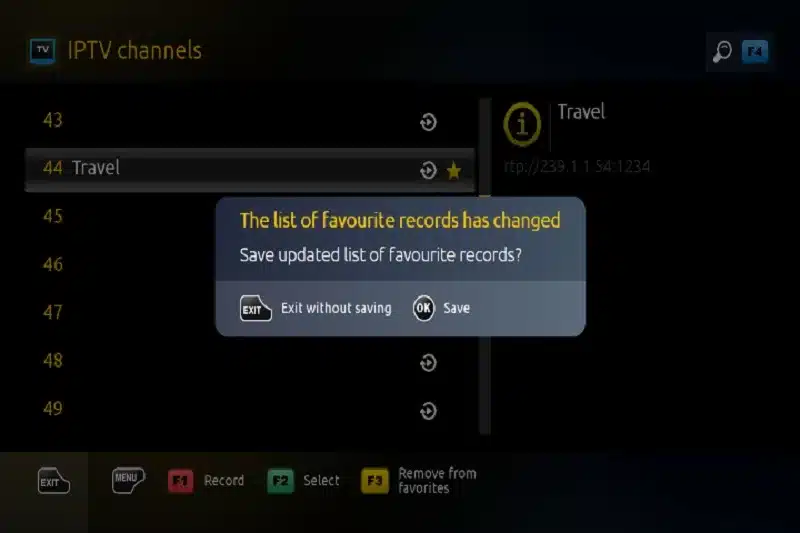
- Via pressing F3 button on the remote control, select the channel – it marks in the list by a star.
- Go to the next channel and identify it in the same way as explained above.
- Furthermore, mark all the channels you need to be added in Favorites.
- When exiting this section, the system reports that the Favorites list has changed.
- After confirm to save (OK on the remote), the selected channels are permanently added to Favorites.
How to access the Favorites
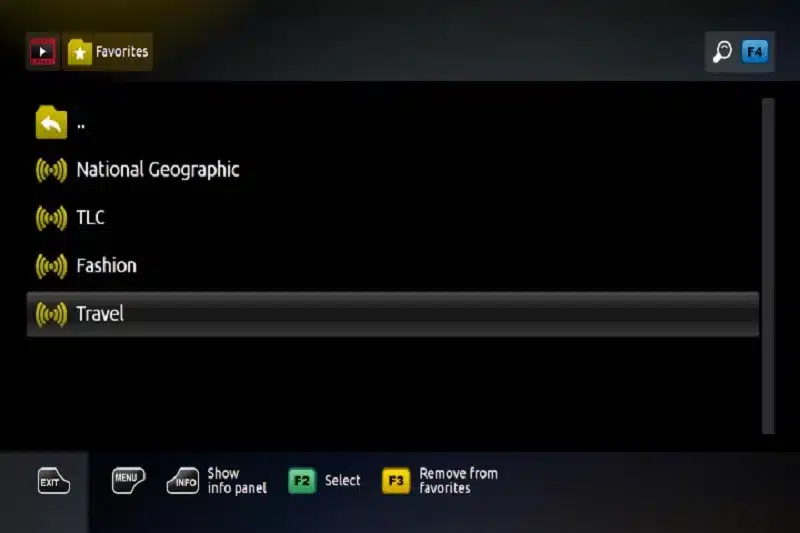
Added to Favorites channels, become available from Home media.
Join the conversation
Read next
28 January 2024
What is IPTV?
IPTV stands for Internet Protocol Television. This new low-cost technology is superseding the traditional satellite and cable subscription for many users around the world. IPTV, the abbreviation of Internet Protocol Television, is a service which delivers the television channels through the logical Internet protocol (IP) instead of traditional methods such satellite and cable televisions. Such, service can … Read more
Read article
4 min read
28 January 2024
What is MAG?
Infomir’s MAG is one the common IPTV devices in the world. After 2007, Infomir produces Set-Top Boxes following the brand name MAG. These Set-Top Boxes are multi-functional devices that allow you to quickly organize your media contents and use IPTV services.How to setup IPTV on MAG? Below are some of the major features represented in … Read more
Read article
1 min read
28 January 2024
How to record IPTV on MAG Box?
MAG boxes are some of the most powerful streaming media players. IPTV users choose them for their speed, simplicity, and excellent streaming performance. The user interface is simple and responsive, channel switching is quick and you receive all the features required to get the most out of your IPTV service. How to setup IPTV on a MAG device? These Set-Top Boxes are … Read more
Read article
2 min read
0 responses on “How to add channels to Favorite list on MAG?”